Electronic signature: Create digital signatures
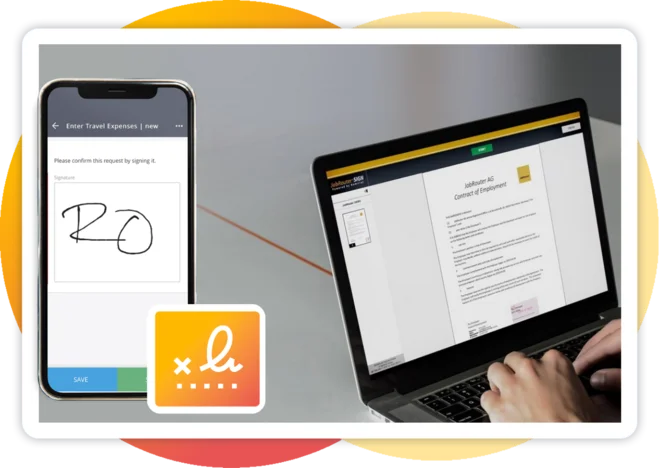
Set your digital signature completely without paper.
Creating documents collaboratively, editing them, and storing them in an audit-proof manner - all of this is no problem with common document management systems. But for a long time, the biggest pitfall for digital document work was the binding and legally valid signature in electronic form. But that is no longer an issue. Regulations exist now that provide a framework for creating e-signatures that are secure, legally compliant, and accurate identification methods. For example, the eIDAS regulation provides standardized regulations for e-signatures throughout the EU as well as for US or UK companies with customers, operations, or suppliers in the EU. This regulation stipulates that in most cases electronically signed documents are admissible as evidence in court, for example, to prove the conclusion of a contract. So now it's time to stop talking about the potential of digital signatures and start putting them into practice!
Webinar recording : JobRouter® Use Case: electronic Signature
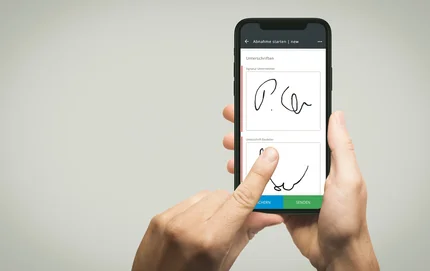
How does an electronic signature work?
Both technical and legal components play a role in an electronic signature. The process must enable secure authentication and proof of approval when signing digital documents. In order for eSignatures to be legally binding, strict requirements and certifications must be met on the part of the eSignature provider.
Creating a digital signature
From a technical perspective, an electronic signature is initially a set of data that is attached to other electronic data, such as a PDF document, which the user then uses to sign. In most cases, this is data generated in conjunction with electronic certificates for natural or legal persons (for example, companies). In this technical context, we also often talk about digital signatures - a method of generating electronic signatures using encryption processes (cryptography).
JobRouter® Sign changes the way you do business and close deals.
Create a contract template or select an existing template and fill it with the appropriate information and the people involved. JobRouter® then automatically sends a request to approve and sign the document to the email address you have on file. Only this person can execute the digital signature, intermediate steps are documented and therefore all legal and compliance requirements are met.
JobRouter® Sign Features
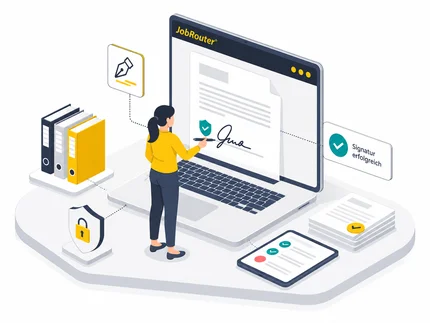
With the electronic signature, you improve transparency throughout the entire signing process and increase employee productivity through optimized information flow in document processing. JobRouter® Sign can be deployed either on-premises or sourced from the cloud.
- Fully integrated electronic signature in the JobRouter® platform
- Start a signature event from any process
- Fast and unambiguous digital signature from any end device
- Complete documentation of all intermediate steps, persons involved, and actions performed
- Audit-proof archiving of documentation and documents
- Effortless compliance with legal standards and requirements thanks to Namirial's certification as a trust service provider
- Control of processes across departmental and company boundaries (integration of external partners)
- Batch signature support: Apply multiple signatures to a document, deciding whether to set them individually or simultaneously.
- Support of multiple documents per envelope: Attach multiple documents to a signature process, which are then signed together.
Certifications and Awards
JobRouter® stands for quality in all areas. Certified and recognized multiple times, the product, the company, and the platform comply with all legal requirements as well as additional security standards: your data and documents are in safe hands with us.

What types of electronic signature can be implemented with JobRouter® Sign?
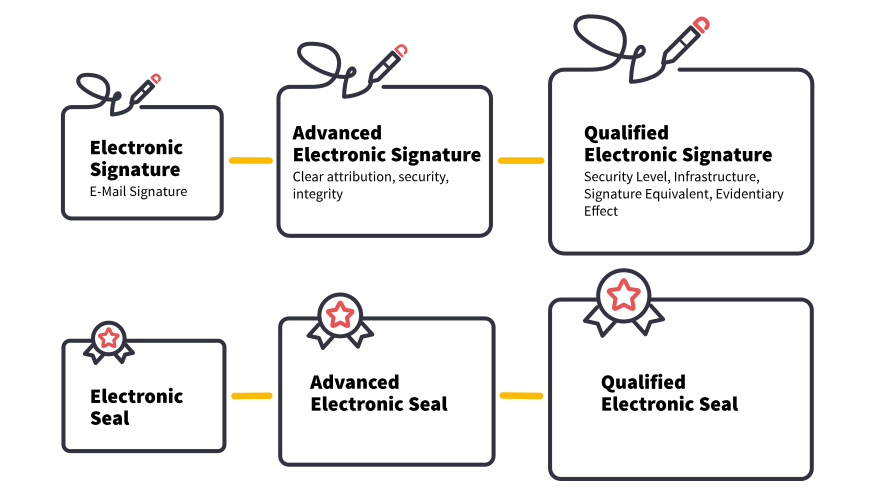
With JobRouter® Sign you are able to implement qualified, advanced, and simple electronic signatures.
1. Simple electronic signature
Simple electronic signatures have a low, sometimes even insufficient probative value. You can use them only for processes that involve a low legal risk, for example, internal processes such as vacation requests or invoice approvals.
2. Advanced electronic signature
With the advanced electronic signature, it is possible to verify documents for authenticity and integrity. This type of signature must be generated by means that the signer can keep under his sole control. It must be exclusively associated with the signer, thereby identifying him or her. It must also be linked to the data to which it relates so that any subsequent alteration of the data can be detected.
3. Qualified electronic signature
A qualified electronic signature has the same legal effect as a handwritten signature. Qualified electronic signatures are generated on the basis of a qualified electronic certificate. This is provided by a trust service provider such as Namirial after the signatories have been identified. Documents signed with a qualified electronic signature can be verified for authenticity and integrity. Qualified electronic signatures should be used if there is a requirement for the use case to be in writing. However, this is not the case for the vast majority of business processes.
Security at All Levels
Our solution is eIDAS-compliant. To ensure this, we work with the trust service provider Namirial. We use exclusively state-of-the-art encryption technology and guarantee complete documentation of the signing process.
Frequently Asked Questions on Electronic Signatures
What is the difference between an electronic signature and a digital signature?
Electronic signatures: legal term defining legal context and evidentiary value
Electronic signatures can be generated using different technologies. Within the EU, a distinction is made between simple, advanced, and qualified electronic signatures.
Digital signatures: mathematical and technical term
A method used to create an electronic signature. Using asymmetric encryption, a value is calculated from digital data (for example documents or messages) with the help of a secret private signing key (private key). With the corresponding public key (public key), the authorship and integrity of the data set can be verified. Digital signatures are based on certificates issued by trust service providers or by companies and organizations.
How is a copy of a signed document transmitted to the signatory?
There are several possible methods. First, it is important to understand that there is no “copy” in the traditional sense as with a paper document. These are always “originals.”
The document may be transmitted by:
- Providing it for download in the institute’s customer portal.
- Sending a link to the document via email.
- Sending the document as an email attachment
What are the requirements for using electronic signatures in JobRouter®? Which modules are required?
For a simple, advanced, or qualified signature, JobRouter® Sign is sufficient. Depending on the use case, the following modules may also be required:
- The JobPDF module for generating documents that are to be signed.
- The JobArchive module for archiving documents.
- The JobViewer 2 module for placing signature fields on PDF files.
Can external parties also sign documents with JobRouter® Sign?
Yes, this is possible. You may send documents for electronic signature to individuals who do not have a JobRouter® account. External participants are integrated into the signing process via email. In addition to the name and a valid email address, a mobile phone number is also required if two-factor authentication is used.
Can documents signed with JobRouter® Sign be used in court?
All electronic documents may be used as evidence in court. Article 25 of EU Regulation 910/2014 (Regulation on electronic identification and trust services) reiterates this and emphasizes that courts must take all electronic documents into consideration.
For most everyday legal transactions, no specific form is prescribed, meaning any electronic signature may be used. In certain cases — such as consumer credit agreements under part-time employment contracts — written form is required. Pursuant to Sections 126 (3) and 126a of the German Civil Code (BGB), this requirement can only be fulfilled by a qualified electronic signature. The qualified electronic signature has the same legal effect as a handwritten signature.
Electronic signatures may also be used to provide subsequent proof of contract conclusion or submission of offers or orders. In such cases, an advanced electronic signature is sufficient. It provides adequate evidence that the signature originates from the stated sender (authenticity) and that the document has not been altered since signing (integrity). This evidence can also be presented in court proceedings.
Which document formats can be electronically signed with JobRouter®?
With JobRouter®, you can sign Word and PDF documents. Word documents are automatically converted into PDF format. The signed document you receive is always a PDF.
Are documents signed with JobRouter® Sign recognized only in Germany or throughout Europe?
JobRouter® Sign is based on the product eSignAnyWhere by Namirial. Namirial is a qualified trust service provider as defined in EU Regulation eIDAS 910/2014. Therefore, all documents signed using this provider are recognized at least throughout the European Union.