SAP-Integration : Directly Call on SAP BAPIs out of JobRouter® Workflows

Many processes require interfaces to SAP for optimal workflow automation. For example, invoices need to be pre-entered in SAP from within a process and posted after approval, or purchase requisitions created in a third-party system need to be recorded in SAP. With JobRouter®, this is now possible easily and directly from the digitalization platform — without additional software.
JobLink for SAP serves as the interface module for this purpose and offers ready-to-use scenarios for different requirements. The module is designed so users can create their own scenarios or easily adapt existing ones. Even if the required scenario is not yet available, custom interfaces and SAP calls can be implemented quickly in projects.
The interface can be integrated as a system activity at any point in the JobRouter® process. In addition, a dialog element is available to execute components directly in the dialog. With this option, users receive immediate feedback on the executed transaction. For example, they can post an invoice and immediately receive an SAP document number.
Communication Flow Between JobRouter® and the SAP System
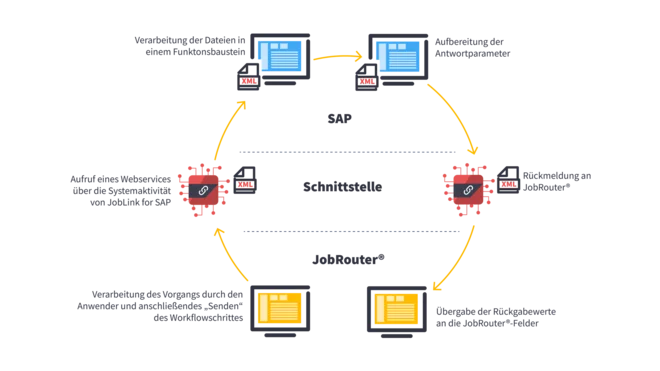
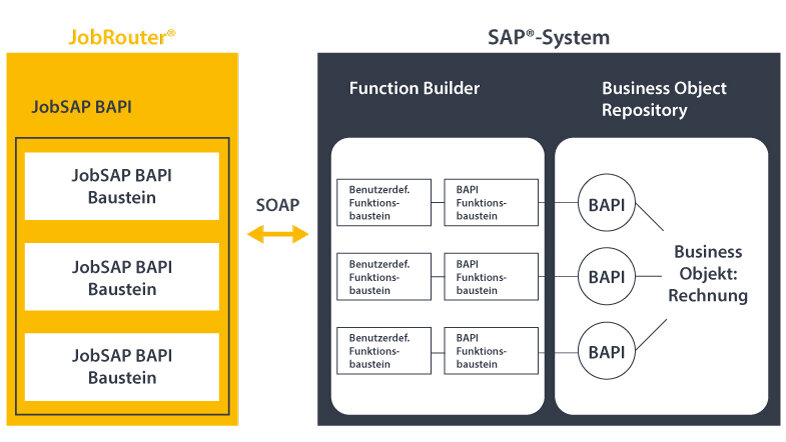
JobLink for SAP communicates with the SAP system via a SOAP web service and calls the appropriate BAPIs there using function modules. This enables standardized communication with SAP systems. Only the JobRouter® function modules need to be imported into the SAP system via a transport package.
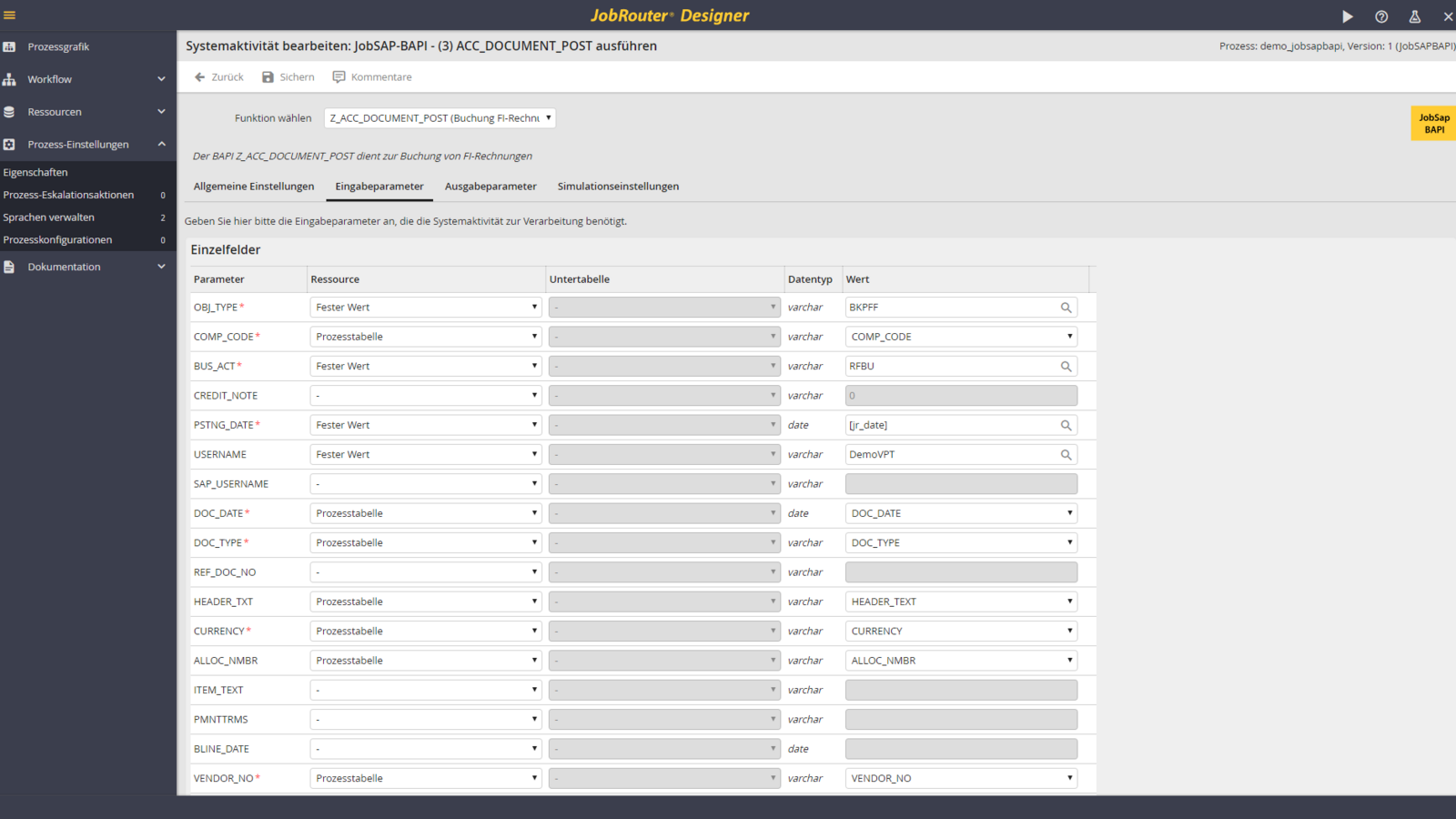
Thanks to the module’s modular structure, you can store any number of different scenarios and integrate them into your processes. In JobRouter®, each BAPI scenario has defined input and output parameters that ensure data is passed on to the SAP system. The linking is done easily via the user interface when configuring dialog elements or system activities.
Any Number of SAP Systems
Define any number of connections and work in different SAP systems, such as development, test, or production systems. A technical user who performs the transactions is defined for each connection.
System Activity
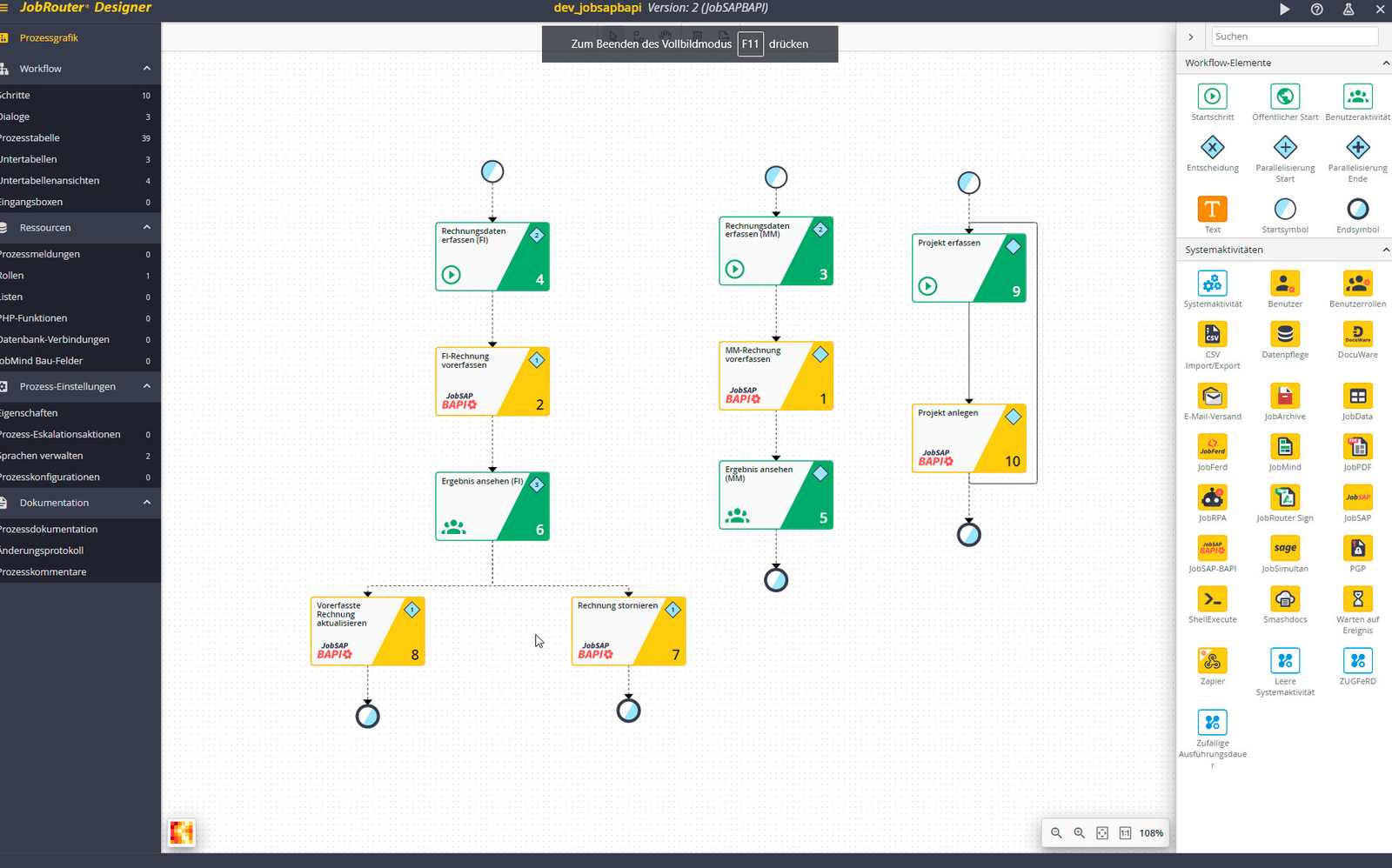
With the BAPI system activity in JobRouter®, users can execute actions in the SAP system at any point within a process. They can choose from all installed and licensed scenarios. By linking input and output parameters, data can be transferred to the SAP system and return values can be passed back to the process. Some scenarios support the additional transfer of user information.
Form Element
The JobLink for SAP form element displays a button in the form that allows users to execute SAP actions directly. Unlike the system activity, which runs in the background, return values can be reused directly in the same form step, such as the SAP document number. This means the process flow is not interrupted by automatically running background steps.
Technical or Real User

Depending on the type of business process, you may have different requirements for executing transactions in SAP. In many cases, execution via a technical user that you store centrally in JobRouter® is sufficient. In other cases, it is necessary to perform the transaction directly in the context of an SAP user. For this purpose, the respective JobRouter® users can maintain their SAP login credentials. It is also possible to store access credentials for multiple SAP systems, which JobRouter® then uses to execute a transaction.
Your Benefits: : The Following Scenarios Are Currently Available
- Pre-enter and post FI invoices
- Change FI invoices
- Delete FI invoices
- Pre-enter and post MM invoices
- Change MM invoices
- Delete MM invoices
- Link an SAP document with an archived document
- Additional scenarios are available upon request