JobRouter® Viewer : Everything at a glance: View and edit documents in any process
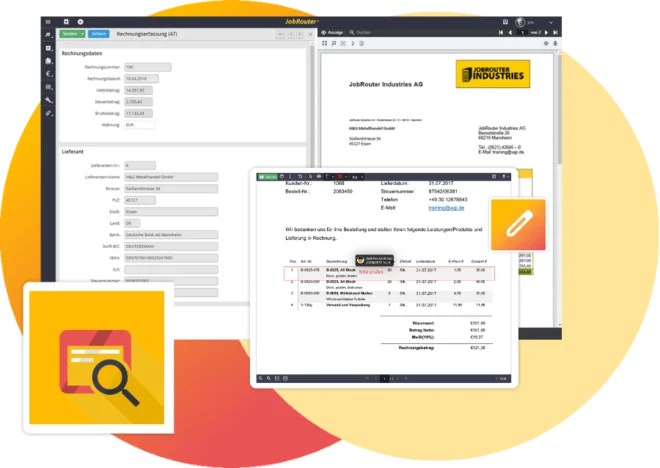
JobRouter® Viewer was added to the JobRouter® platform with the introduction of the JobRouter® Archive document management function. The desire for intensive integration of document functionalities into workflows is growing. As a result, demands on the viewer and opportunities for greater interaction are also increasing.
That is why JobRouter now offers a perfectly integrated viewer with exciting functions. The viewer can be used in all places where documents are displayed. JobRouter® Viewer was designed especially for working with typical business documents and supports all common formats; PDF, image, office and text files.
What You Gain : Product Features and Benefits
- View and attach PDF logs in DocuWare
- Modify index data in DocuWare
- Copy and move documents
- Delete documents
- Export documents
- View documents and result lists in the DocuWare Client
- View documents and result lists in the DocuWare Internet Server
- View documents and result lists in the DocuWare Web Client
Drag & Drop – Easy index data recording
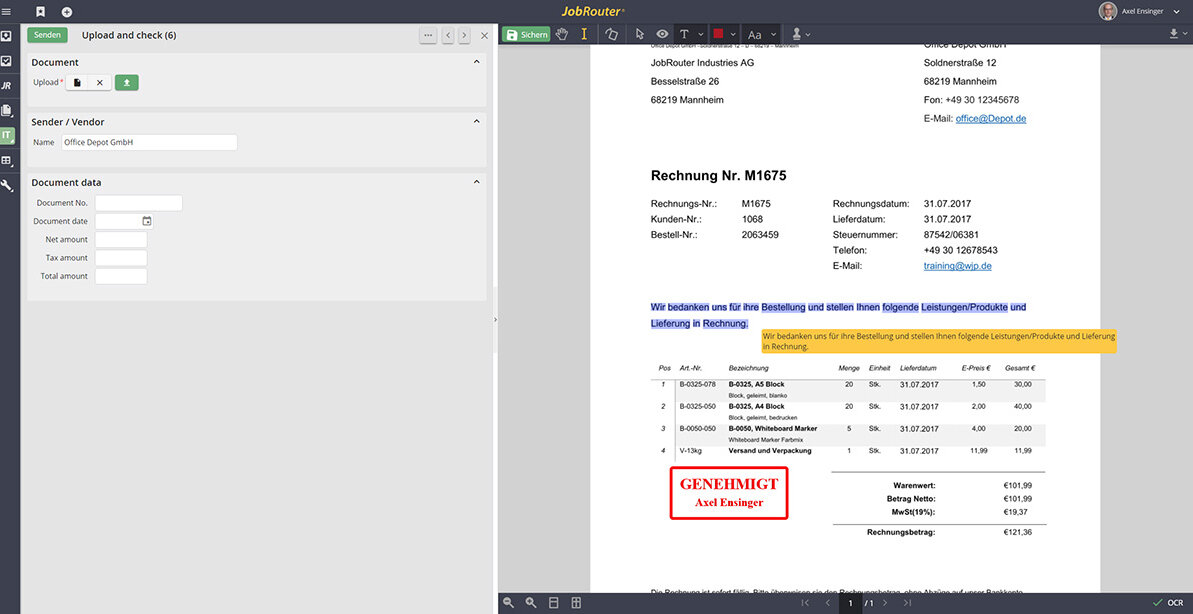
When storing documents in the archive and also when working with documents in a workflow, information must be transferred regularly from the document to the index dialog or the workflow form. JobRouter® Viewer automatically runs an OCR on the document, extracting text and information and making it available for easy entry. Users can drag and drop the values from the document into form elements. This allows several words to be easily combined or entire lines and sections to be transferred.
The OCR can be used for all languages supported by JobRouter® and has no volume limit. It is also possible to adjust the number of processor cores to be used to enable fast OCR data collection even in systems with high traffic loads.
Stamps with digital added value
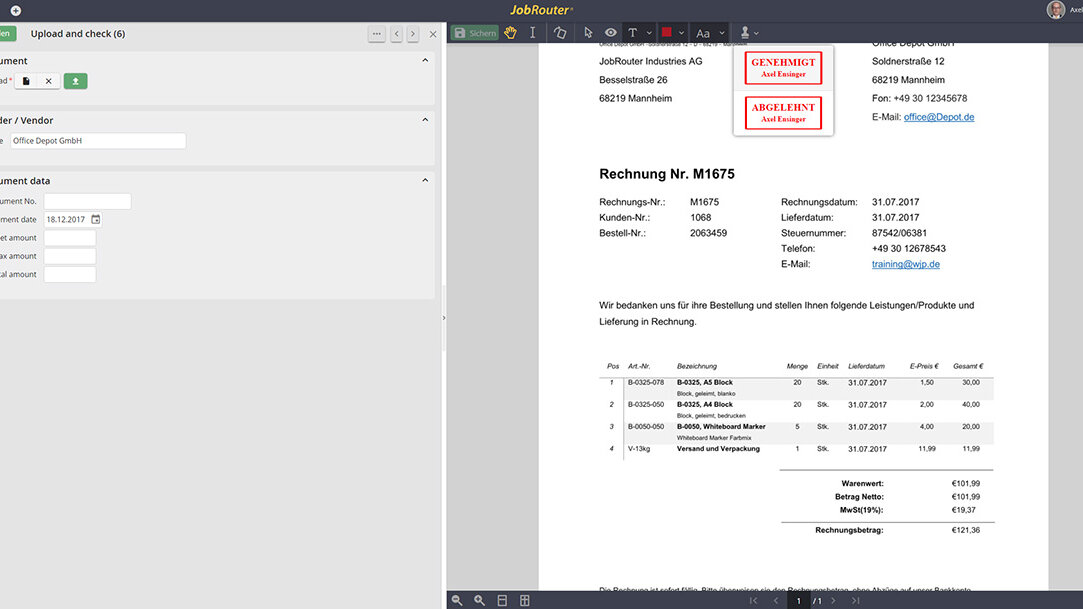
Many users also want familiar elements from paper-based work in a digital work environment, for example stamps that are applied to documents for approval. Therefore, we have integrated digital stamps in the JobRouter® Viewer. These are applied by the user to the document within a workflow and can no longer be removed afterward. In contrast to the use of stamps in many traditional ECM systems, these are completely controlled via the workflow. This means that a stamp “Approve” is only available if a process for a document is also in the “Approval” step.
After that, the stamp can no longer be applied. Through this close integration of workflow and document functions, a significantly more secure working environment for documents and processes is created. Process designers create the stamps very easily via our API from within the dialog. In doing so, any number of stamps with different characteristics (color, user name, date, …) can be defined. Thus, JobRouter® brings working with digital stamps to a new level.
Annotations

Of course, JobRouter® Viewer supports annotations on documents. Due to the deep integration, both the creator and the time of creation are now stored for each annotation, so that it remains transparent afterward who added which notes to the document and at what time. In addition to text and some graphical elements, check marks in different colors can also be applied to the document. This allows you, for example, to quickly check off individual line items on an invoice.
Optimized User Experience
The redesign of the viewer has also significantly improved functions such as browsing through stapled files within a document and made them more user-friendly. Document downloads have also been made easier for the user and now offer the option to choose between the original document, a PDF with annotations, or a PDF without annotations.
API support
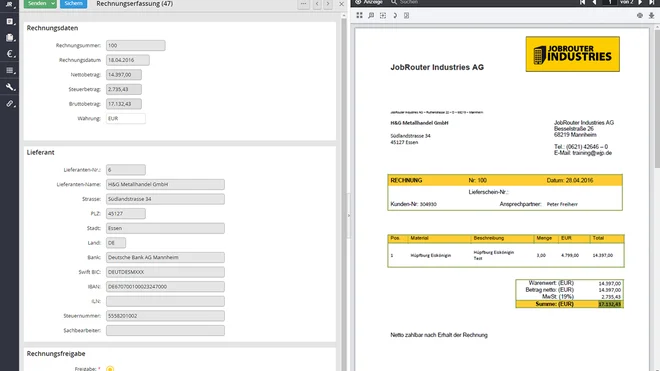
It is important that process designers are given as much freedom as possible when working with the viewer. That's why we have integrated interaction functions directly. For example, it is possible to query the form to determine if a certain stamp has been placed and, only if it has, to allow the step to be sent. Of course it can be done the other way around too. For example, when a stamp is set, a function can be executed directly in the form to send the step.