JobRouter® Archive : Document management made easy with an integrated digital archive
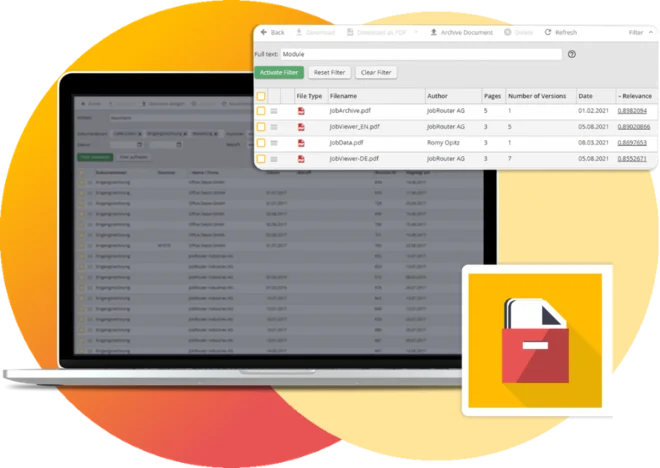
The archive is fully integrated into JobRouter® and serves as a flexible ECM system. It enables the audit-proof archiving of any documents from multilingual archives as well as directly from JobRouter® processes.
The integration of the archive into JobRouter® business processes takes place via both a system activity and a dialog element, as well as a dialog integration for displaying documents in the viewer. As a result, process management and document management merge into one integrated solution.
When accessing documents within a process in particular, JobRouter® users benefit from the fact that the process controls the rights for displaying documents. This means that anyone working on a transaction in JobRouter® and for whom specific documents are relevant can also view those documents.
Certifications and Awards
JobRouter® stands for quality in all areas. Certified and recognized multiple times, the product, the company, and the platform comply with all legal requirements as well as additional security standards: your data and documents are in safe hands with us.

What You Gain : Product Features and Benefits
- JobRouter® Viewer component included
- Integrate documents into JobRouter® forms via dialog function
- Use of various storage adapters
- Easy administration of archives
- Audit-proof archiving
- Version control for files
- De-duplication of files
- Seamless integration into JobRouter®
- Integrated rights management
- Display documents from the workflow
- Direct access to documents from the inbox
- Multilingual archives available
- Documentation of all events related to the document
- Access documents or result lists from external programs
- System activity for automated document actions
Your view into JobRouter® Archive
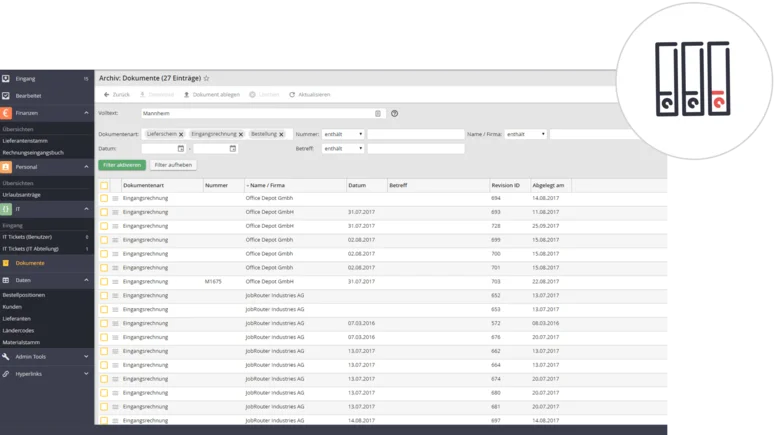
The audit-proof and fast archiving of any documents and email. In addition, JobRouter® offers the option of creating any number of archives. Each archive can manage any type of index data, such as text fields, numbers, decimal values, or date values.
Seamless integration into JobRouter®
In JobRouter®, deputies can be defined or steps can be assigned to other users. In such cases, those users have the appropriate permissions for the respective process to view documents and, if necessary, edit them. This completely eliminates the need for a second permission structure independent of JobRouter® that would otherwise require complex maintenance and updates.
Automated workflows with system activity
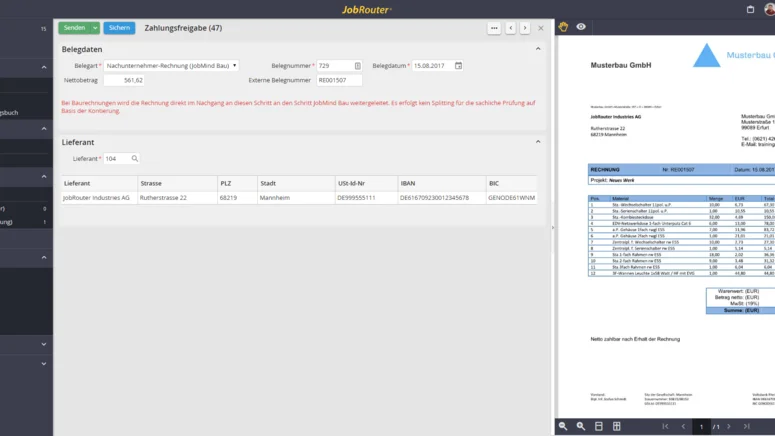
Using the corresponding system activity, you can control key archive functions directly from within a process. The system activity can be integrated into any process at any point.
It offers the following features:
- Archiving documents
- Archiving PDF logs
- Changing index data
- Deleting documents
- Reading index data
Form integration
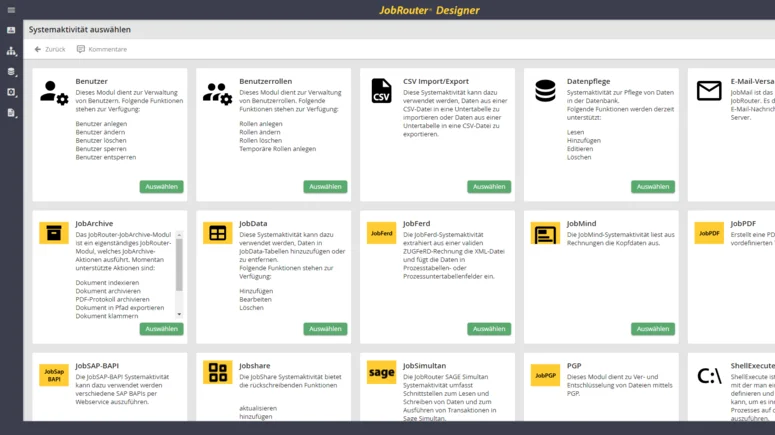
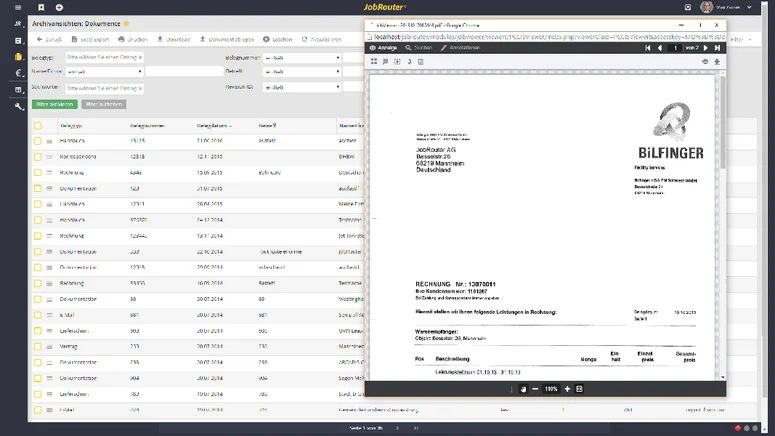
The JobRouter® Viewer dialog integration makes it possible to display documents on the right-hand side of a dialog.
Deduplication
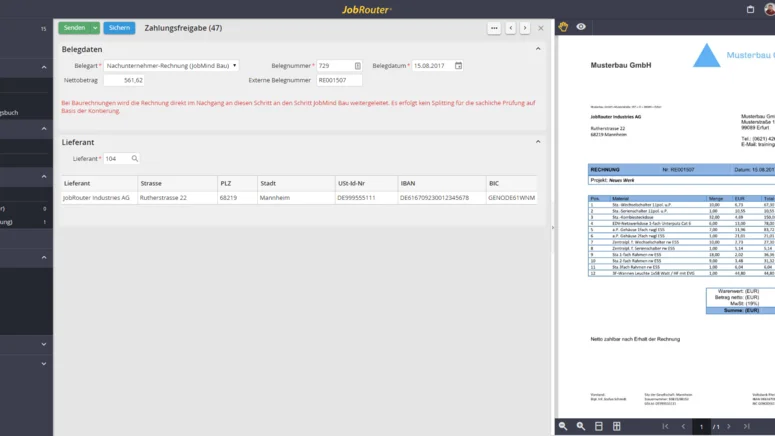
You can enable the “de-duplication” option in the JobRouter® Archive. It automatically detects files that are stored more than once and saves them only once in the file system. This also works across archives.
Especially when archiving documents that were sent to different recipients within the company, for example by email, the same documents may be stored multiple times in different archives with different index data. This can be useful. However, duplicate storage in the file system is unnecessary.
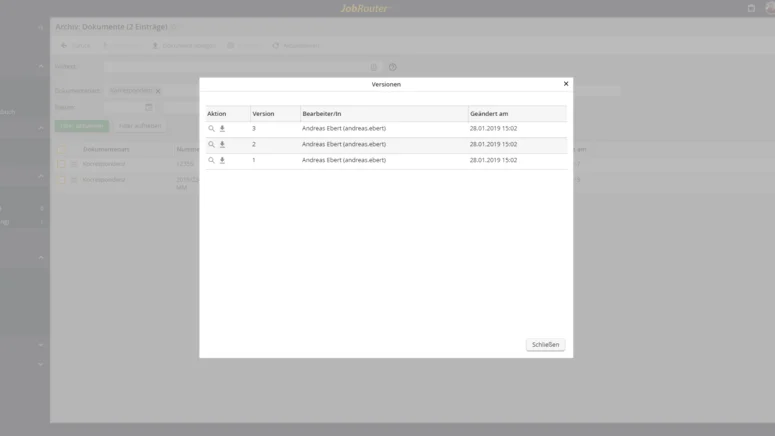
Versioning
Documents stored in JobRouter® Archive can be assigned versions. Automatic version control can also be enabled so that a new version is created whenever a file is changed.
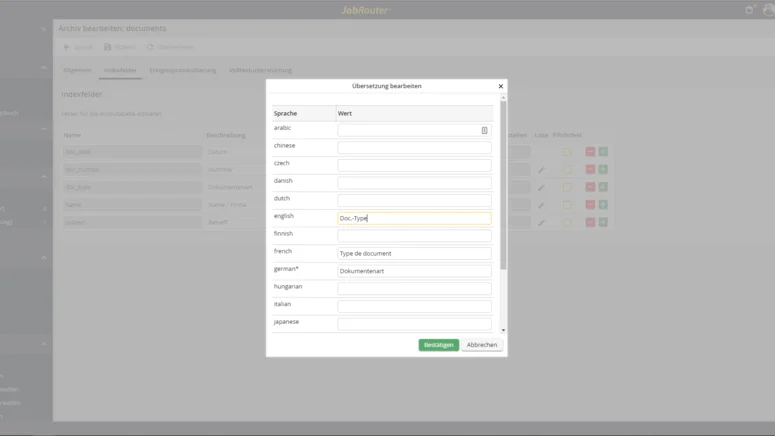
Multilingual archives
Translations can be stored for both the archive name and the index columns for each archive. These translations are used, for example, when displaying result lists and ensure that every JobRouter® user sees the archive in the language defined for them. This functionality is available only in conjunction with the JobRouter® Enterprise Edition.
Audit-proof storage
For the audit-proof storage of documents, each archive can be configured so that deleting documents is no longer permitted. In this case, depending on the configuration, new revisions of a document can still be created and stored, but documents that have already been stored can no longer be modified.
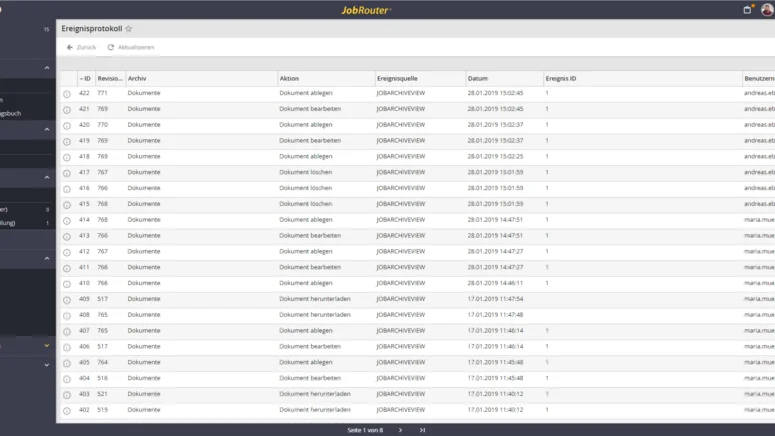
Event log
For the audit-proof storage of documents, it is important to be able to document all actions performed on a document. For each archive, you can decide which events should be logged. The storing, modifying, and deleting of documents, as well as reading and downloading, can all be logged.
The administrator has access to the event log and can view the logged events for each individual archive. For each event, a link to the triggering workflow is stored, which means it remains possible to trace afterward in which context the action was performed.
URL integration
In many use cases, it is necessary to access documents directly from other programs. For example, you may want to open an archived receipt via a direct link from the ERP system without having to perform a manual search in the archive.
JobRouter® Archive provides URL integration for this purpose, allowing you to create custom URLs. These URLs then return either exactly one document or a result list. It is also possible to specify whether the document should open in the viewer or be made available only as a download.
Support for various storage adapters
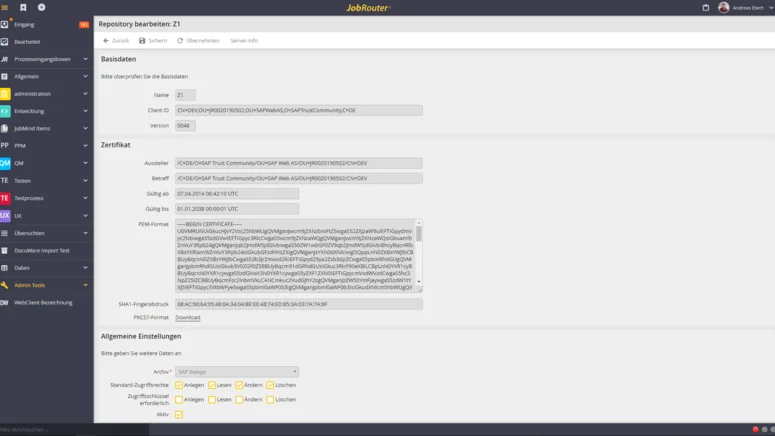
The JobRouter® Archive allows you to choose how you want to store your documents. The following storage adapters are currently available:
- File system (JobRouter® Archive standard): This storage adapter ensures that documents are stored in the
file system in an automatically generated directory structure. It has been developed in such a way
that up to one trillion documents can be stored in one archive. - FAST LTA Silent Cube: For completely audit-proof archiving of documents, FAST LTA Silent
Cubes can be used as the storage location for JobArchive documents, which means that stored
documents can no longer be changed. During archiving, JobRouter® automatically checks that
documents have actually been successfully archived on the Cube. This makes the entire process in
JobRouter® audit-proof.
Discover use cases with JobRouter®
Success Story : Digital accounts payable and IT support system
A major automotive supplier uses JobRouter® to automate accounts payable processing and SAP integration, while also building an IT-supported ticketing system.
Success Story : Electronic invoice processing with JobRouter®
On good days, 300 supplier invoices piled up in the accounting department’s wire mesh containers. On very good days, there were 500. JobRouter® was selected to connect all branches and accelerate accounts payable processing.


FAQ : Frequently Askes Questions About JobRouter® Archive
What happens when the storage capacity of the JobRouter® archive is exhausted?
What does the limit of 5 million documents refer to? Does it apply to all documents ever stored - including deleted ones - or only to active documents?
The limit refers to the currently active documents in the archive. For example, if 4 million documents have already been stored in the JobRouter® archive, 1 million additional documents can still be stored. If 2 million documents are no longer subject to retention requirements and are deleted, the number of documents that can still be stored increases to 3 million. Storage capacity is therefore based on active usage, not total historical storage.
Before the limit is reached (starting at 90%), system administrators receive a corresponding notice every time they log in, as well as regularly through the Admin Monitor and the Admin Monitor email. Once the limit is reached, no additional documents can be archived, and administrators receive an error message through the same channels. For users, the upload button in the archive is grayed out and can no longer be clicked. Uploads are also no longer possible via the REST API or through processes.
In general, you have three options for managing retention periods:
- The deletion date is defined at the time of archiving
- Individual deletion of documents
- The deletion date becomes known during the document lifecycle
How do I set up automated deletion periods in the JobRouter® archive?
The deletion date is known at the time of archiving
In that case, it is advisable to set the deletion date using a system activity. The system then automatically takes care of deleting the document, and your storage capacity adjusts automatically.
We recommend the following approach:
Using the “Deletion date” option, you set the deletion date when creating the archive entry. You can find detailed instructions in the manual at: https://portal.jobrouter.com/documentation/en/5.2/designer/designer_einstellungenundparameterfurdokumentbezogenefunktionen.html or follow the path: Process Designer / Settings and parameters for document-related functions / Deletion date.
Individual deletion of documents
If automated deletion was not set up in advance, documents can be filtered by age and document type, individually reviewed, and deleted. In addition, bulk deletion can be carried out.
Under "Manage archive -> Archive -> Details," the option "Irreversible deletion" can be enabled instead of a deletion flag so that this data is deleted permanently. More information is available in the manual at https://portal.jobrouter.com/documentation/en/5.2/administrator/admin_archiveverwalten.html or follow the path: Administrator / Manage archives / Irreversible deletion.
How do I edit the deletion date for documents that have already been archived in the JobRouter® archive?
The deletion date becomes known during the document lifecycle
Using JobRouter’s built-in tools, the deletion date can only be defined during archiving and cannot be changed afterward. There are two options for handling this:
Solution option 1:
- If the deletion date needs to be changed afterward, it must be corrected in the database. The deletion date is defined in JRDOCUMENTREVISIONS. There is no linked column. Only the "delete_date" field is affected.
- You should create a backup beforehand to be on the safe side. It may also be necessary to consult a database specialist. Our consulting team can also assist you through a paid service engagement.
Solution option 2:
- Create a process for managing rules based on the document class and the triggering event that determines the deletion date. The process can be started automatically on a regular basis. For this, the JobRouter® archive system activity "Delete document" is used: https://docs.jobrouter.com/2024.4/en/designer/designer_jobarchive.html
- If this option is of interest to you but you do not want to develop the process yourself, please contact our team. We have developed an automated process for exporting archive documents with automatic start and end, as well as seamless resumption after the last downloaded document, which we could adapt for this purpose.